For the newly engaged
The wedding costs nobody warns you about — already built into your budget.
Plan your entire wedding in one connected spreadsheet, with 62 commonly forgotten costs already loaded — plus your budget, guests, RSVPs, vendors, payments, seating and timeline. Works in Excel and Google Sheets.
- 62 hidden costs
- 28 connected tabs
- Excel & Google Sheets
- Instant download
Instant download · Excel & Google Sheets · 30-day money-back guarantee
Excel &
Google Sheets
2
Your whole wedding. Connected.
One dashboard. Everything updates together.
- BudgetUpdates automatically
- Guests & RSVPsAll connected
- PaymentsKnow what's paid & what's left
- VendorsCompare everything side by side
- CalendarKnow what's next
- Hidden costsAlready loaded
3
Free apps track the budget you know about. This catches the one you don't.
| Free planning apps | Etsy templates | This spreadsheet | |
|---|---|---|---|
| Hidden costs pre-loaded | — | — | ✓ 62 |
| One master guest list feeding RSVP, meals, seating | Partly | Rarely | ✓ |
| Payments placed on a calendar by due date | Reminders only | — | ✓ |
| Open, editable file you keep offline | — | Often locked | ✓ |
| Refund | n/a | Usually none | ✓ 30 days |
| Formulas tested in Excel & Sheets | n/a | Varies | ✓ 1,222 |
Free apps are great for websites, registries and reminders. Use one alongside this file — they do that job; this does the money and the master list.
4
Everything you need in one planner
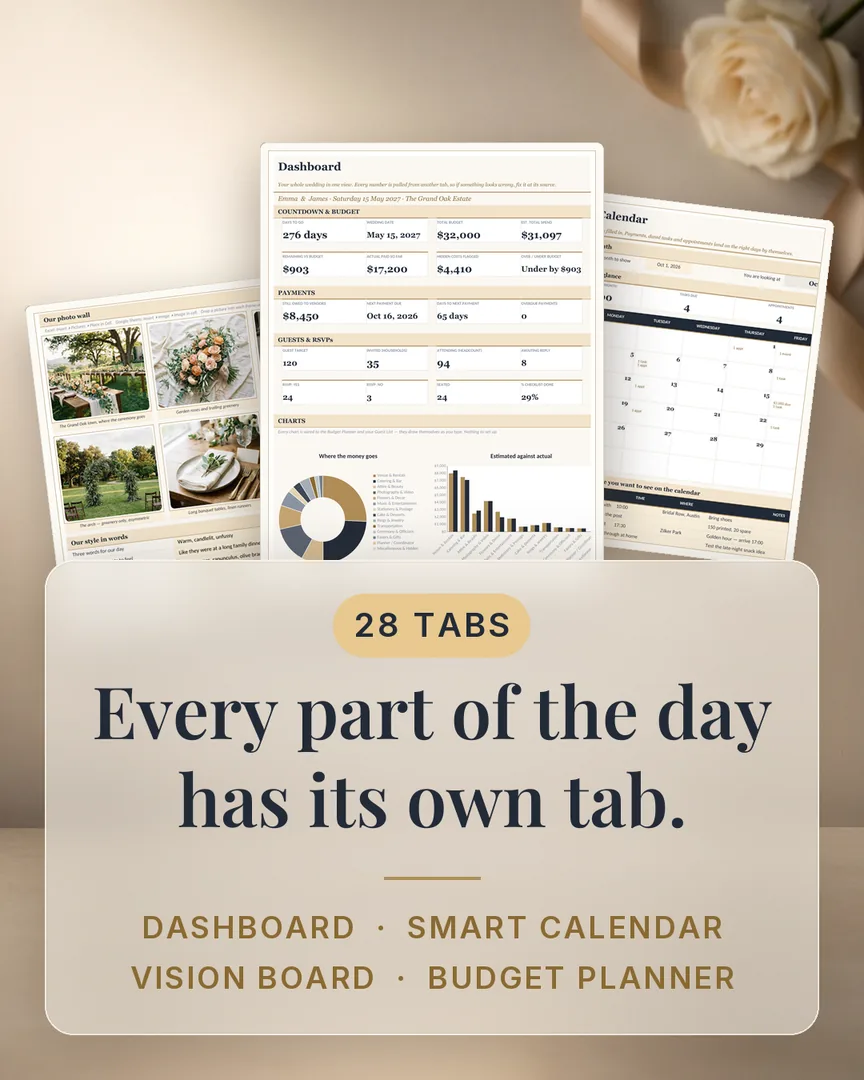
28 connected tabs + 5 bonuses
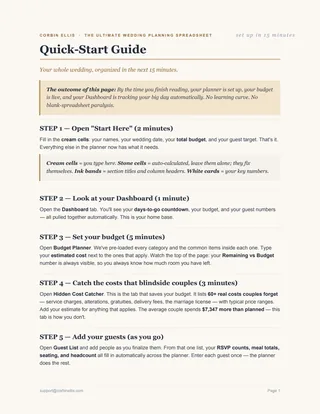
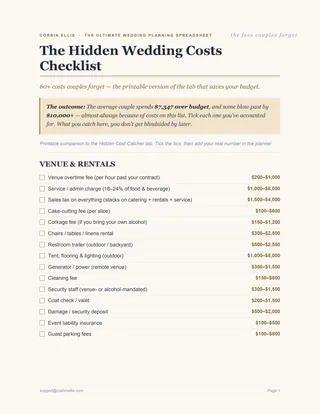
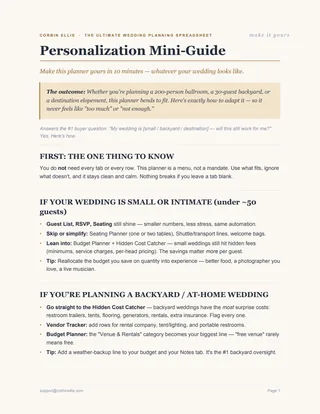
Money Budget Planner · Hidden Cost Catcher · Payment Tracker · Honeymoon Budget
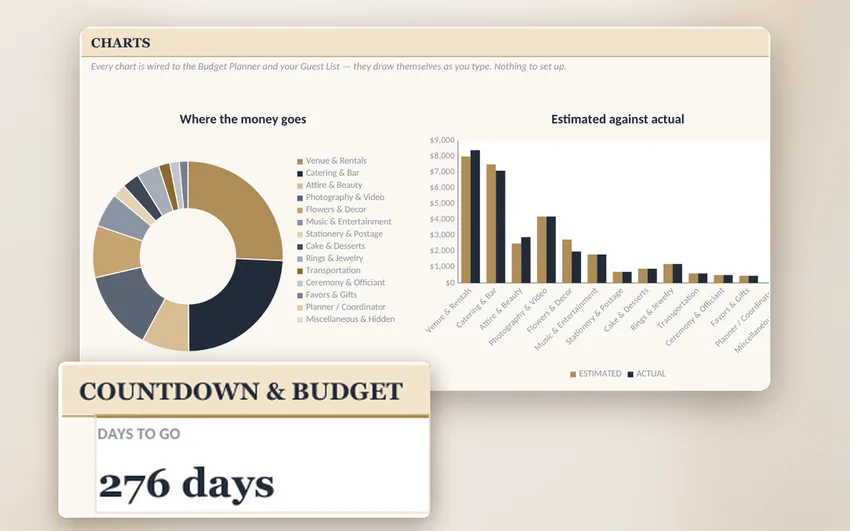
Every money tab feeds the Dashboard. Type an estimate or an actual cost once and the category subtotal, the balance owed and the over/under-budget figure all move with it.
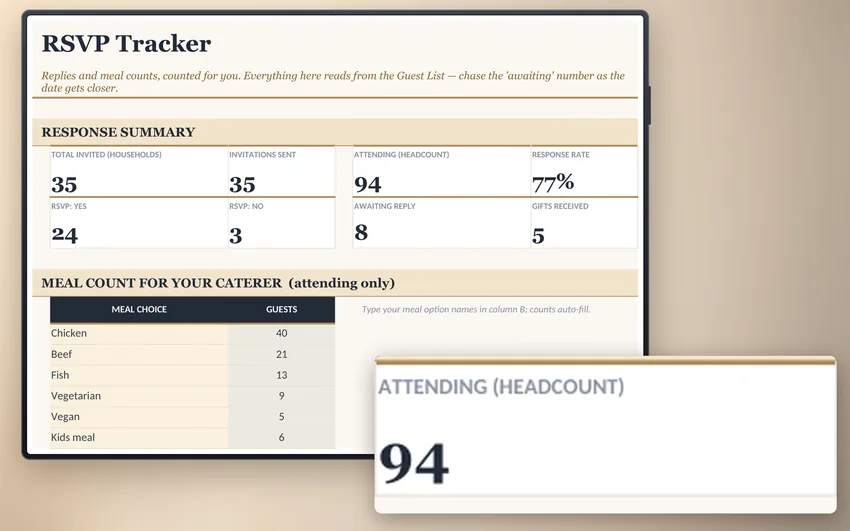
People Guest List · RSVP Tracker · Seating Planner · Wedding Party · Contacts
One master guest list. Add a guest once and they flow into RSVPs, meal choices, the seating plan and your thank-you list.
Dates Smart Calendar · Appointments · Master Checklist · Day-Of Timeline
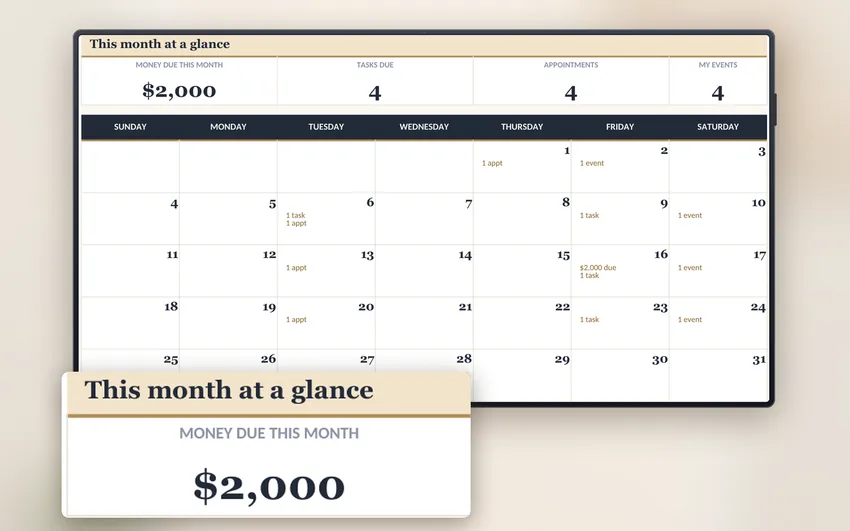
Payments and appointments land on the calendar by due date, so "what's next" is never a guess.
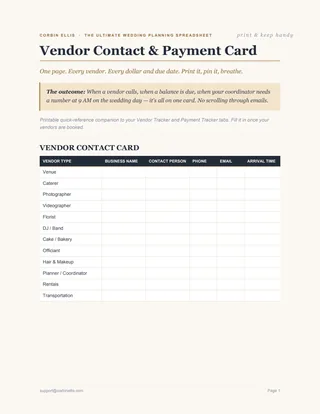
Vendors Vendor Tracker · Vendor Comparison · Venue Comparison
Compare quotes side by side with the numbers in one view instead of across six browser tabs.
The Day Decor · Catering & Menu · Attire & Alterations · Music & Shots · Packing List
The details that get forgotten in the last fortnight, already listed and ready to tick off.
- Complete 28-tab wedding planner
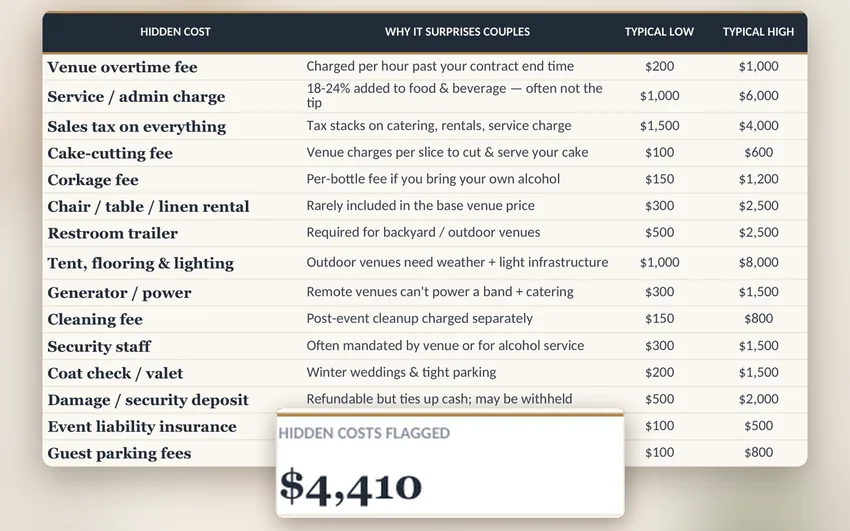
- 62 hidden wedding costs already loaded
- Excel & Google Sheets compatible
- Filled example wedding included
- 5 helpful bonus guides & checklists
- Instant download — start in minutes
- 30-day money-back guarantee
- Instant download
- Excel & Google Sheets
- 30-day guarantee
Secure checkout
5
See it in action
Watch the full walkthrough to see how simple it is to plan your entire wedding.
- DownloadGet instant access to your files.
- Open “Start Here”Enter your names, wedding date, venue, budget and guest target.
- Start planningEverything updates automatically as you go.
6
Why I built a spreadsheet instead of an app
Owner content required. 120–150 words in your own voice, one photo, and the response-time promise you can actually keep. This section is deliberately unfinished — the brief marks it as the one trust element the page cannot fake.
7
One more thing…
Here's what you're getting today.
- 28 connected planning tabs
- 62 hidden wedding costs
- Excel & Google Sheets
- Filled example wedding
- 5 bonus guides & checklists
- Instant download
- 30-day money-back guarantee
- One-time payment, no subscription
8
Real feedback from real people
9
Your wedding. Organized.
Your mind. Clear.
Stop wondering if you forgot something. Know exactly where you stand — anytime.
10
30-day money-back guarantee
Open it. Use it. Plan your wedding with it. If it's not the right fit for you, email us within 30 days and we refund every cent — no form, no reason needed, usually processed within a few business days.
Read the refund policy11
You're one click away from feeling in control
Everything in one connected file, from the budget to the seating plan.
- Instant download
- Excel & Google Sheets
- 30-day guarantee
Here's what lands in your inbox: the spreadsheet (28 tabs, Excel + Sheets) and all five bonuses. Love it or every cent back within 30 days.
12
Frequently asked questions
Is this a digital download?
Yes. After payment you get an instant download link and an email. Nothing is posted to you.
Does it work in Google Sheets?
Yes. Upload the file to Google Drive, open with Sheets, and every formula, drop-down and chart works. It's tested in both Excel and Sheets.
Do I need Excel experience?
No. You type into the marked cells; the 1,222 formulas do the rest. There's a Start Here tab and a 15-minute Quick-Start Guide.
Can I use it on my phone or tablet?
Yes, via the Google Sheets or Excel app. Entering data is easiest on a laptop; checking totals and the calendar works well on a phone.
Can my partner and I both use it?
Yes. In Google Sheets, share the file from Drive and you both edit the same copy. In Excel, keep it in OneDrive or a shared folder.
What happens after I buy?
Your download link arrives by email within a minute. Open the Start Here tab, enter your names, date, budget and guest target, and the Dashboard fills in.
What if I break a formula?
Type only in the marked cells and you can't. If something does go wrong, the Filled Example Wedding is a clean reference copy — and email us, we'll fix it.
Are the hidden-cost price ranges for my country?
Owner to confirm the currency and region. Every range is an editable cell, so you can overwrite it with your own quotes.
Does it work in Apple Numbers or LibreOffice?
It's built and tested for Excel and Google Sheets. Other apps may open it, but we don't test or guarantee them.
Do I get updates?
Owner to confirm the update policy.
I'm a wedding planner — can I use it for clients?
Yes, one copy per client under the personal-use licence. It can't be resold or redistributed.
What is your refund policy?
30 days, no form, no reason needed. Email hello@corbinellis.com and we refund every cent, usually within a few business days.